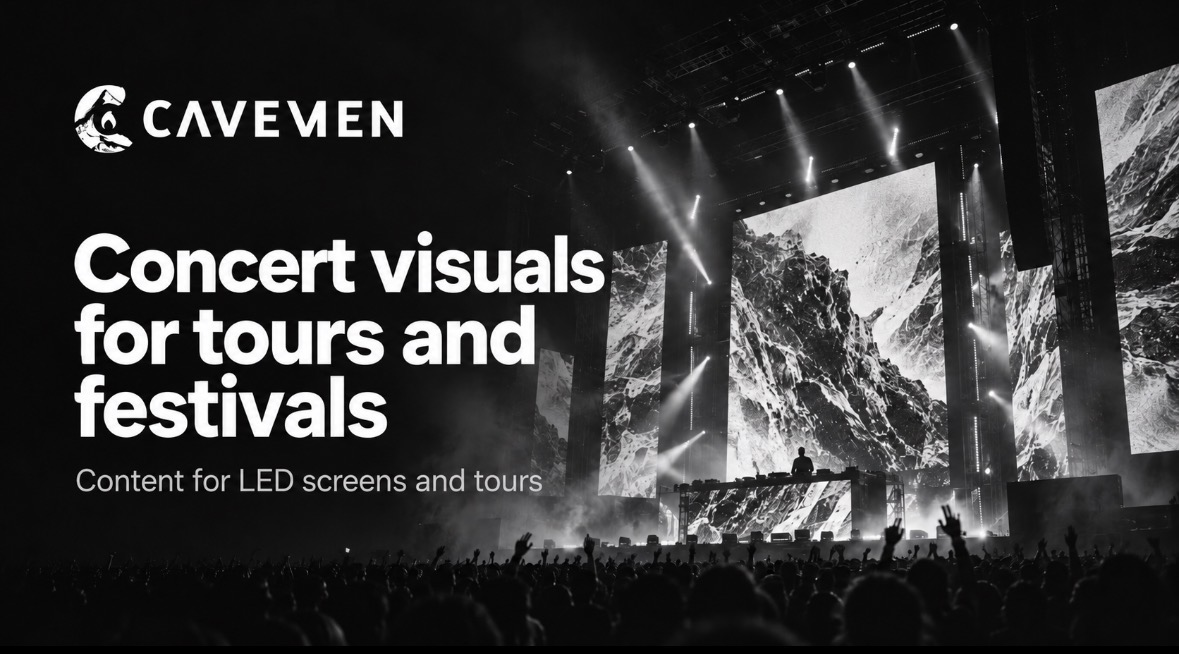
The same visual concept may need different versions across a tour, depending on screen layouts, resolution and playback requirements.
On a live show, the screen is part of the stage.
That screen might be one wide LED wall, a group of vertical panels, several irregular surfaces, moving scenic elements or a completely different configuration from one venue to the next.
The content has to make sense inside that environment.
That is why good concert visuals start with the show itself: the music, the artist, the stage design, the available screens and the technical workflow that will bring everything together.
The goal is not to fill a screen. It is to build part of the show.
01 / CONCERT VISUALS
What are concert visuals?
Concert visuals are visual assets created specifically for live performances.
Depending on the production, the same type of work may also be described as tour visuals, live visuals, show visuals, LED content or screen content.
A visual package can include:
- Show openers and intros.
- Song-specific visuals.
- Animated loops.
- 2D and 3D animation.
- Typography and graphic systems.
- Transitions and interludes.
- LED screen content.
- Closing pieces.
- Camera or IMAG treatments when required.
- Alternate versions for different stage configurations.
Not every show needs all of those elements.
The useful question is what the performance needs visually, not how many effects can be added to it.
02 / START WITH THE SHOW
Design the visual language before choosing the technique
Before deciding between 2D, 3D, live action or generative work, it helps to understand the creative logic of the performance.
Is there already a visual identity for the artist?
Is the tour built around a specific concept?
Does the show have a narrative arc?
Are the screens active throughout the set, or only during selected songs and transitions?
Will the visual world need to stay consistent across an entire tour?
Those decisions shape the content much more than the software used to create it.
Some songs may call for a full visual piece. Others may work better with a simple loop, texture, type treatment or a nearly empty screen.
Restraint is part of show design too.
03 / FROM SETLIST TO SCREEN
Build the visual system around the music
The setlist is one of the most useful planning tools for a visual package.
It shows the rhythm of the full performance: where energy builds, where the show needs space, where transitions happen and where the screen can carry more of the storytelling.
Set the world
An opening piece can establish the visual identity before the first song begins.
Build key moments
Selected tracks can have their own visual language without breaking the identity of the full show.
Stay flexible
Loopable content can adapt to performance timing without forcing a fixed edit.
Connect the set
Short pieces can bridge songs, scene changes, wardrobe changes or other live moments.
The result should feel like one system, even when individual songs look very different.
04 / LED SCREEN CONTENT
Design for the actual LED canvas
Live-event screens rarely behave like a standard 16:9 display.
A stage may use one ultra-wide wall, narrow side columns, several disconnected panels or a custom arrangement with unusual proportions.
That changes the composition completely.
Before production starts, it helps to have as much technical information as possible:
- Screen dimensions.
- Pixel resolution.
- Aspect ratios.
- Screen layout.
- Pixel map.
- Safe areas.
- Playback requirements.
- Delivery specifications.
What is a pixel map?
A pixel map shows how the LED surfaces are laid out inside the final playback canvas.
It gives the content team a real reference for where every important element will appear on stage.
Without that information, a composition that looks perfect on a laptop can break once it reaches the venue.
A face may land between two panels. A title may disappear off the edge. A focal point may sit exactly where the physical stage splits the image.
Designing to the real screen geometry solves those problems before show day.
05 / 2D, 3D AND LIVE ACTION
Choose the technique that serves the concept
There is no single visual style that works for every artist.
A show can be built with motion graphics, 2D animation, 3D environments, typography, photography, live-action footage, VFX or a mix of several techniques.
2D animation and motion graphics
Useful for graphic systems, typography, illustration, transitions, identity-led content and modular visual packages.
3D animation
Useful when the concept calls for environments, objects, simulations, characters or visual worlds that would be difficult to create on camera.
Live action and post-production
Original footage can also be produced specifically for the show and then treated through editing, compositing, color, graphics or VFX.
The strongest choice is the one that supports the artist and the performance.
At Cavemen, animation, post-production and visual content production can live inside the same workflow, so the technique can change from one piece to another without losing the overall visual direction.
06 / PLAYBACK AND DELIVERY
The visuals also have to work technically
A beautiful render is not useful if the playback team cannot run it reliably.
Some visuals are triggered manually. Some are built as loops. Others need to line up with playback, cues or timecode.
The exact setup belongs to the live production team, but the content has to be prepared for it.
That may affect:
- Resolution.
- Frame rate.
- Codec.
- Duration.
- Alpha channels.
- File naming.
- Version control.
- Screen-specific exports.
The content studio does not have to be the LED vendor or media-server operator.
It does need to communicate clearly with the people who will run the show.
07 / TOUR VISUALS
Build visuals that can travel
A tour creates a different challenge: the show may not land on the same stage every night.
An arena date can be followed by a festival, then a theater or another venue with a different screen package.
The LED layout can change.
The resolution can change.
The local technical provider can change.
The visual identity should not have to start over every time.
For touring projects, it often makes sense to plan a flexible visual system with:
- A master version.
- Wide-screen adaptations.
- Vertical or side-screen versions.
- Modular compositions.
- Festival alternatives.
- Safe areas for changing layouts.
- Individual visual elements that can be rearranged when needed.
Tour visuals should belong to the show, not to one specific screen.
08 / MEXICO-BASED · WORLDWIDE
Can concert visuals be produced remotely?
Yes.
Much of the work happens before the first truck reaches the venue: creative development, visual direction, animation, 3D, post-production, versioning and delivery.
CAVEMEN MX
Based in Mexico. Available worldwide.
We can work directly with artists, management, creative directors and production teams wherever the project is based. The content is developed from Mexico and delivered to the team responsible for playback, LED or media-server operation at the show.
A remote workflow can include the creative brief, music and setlist review, stage references, pixel maps, visual development, review rounds, technical exports and handoff to the live production team.
This makes it possible to support a tour across Mexico, Latin America, the United States, Europe or other markets without requiring the visual-content studio to travel with every date.
If a project also needs on-site creative or technical support, that can be scoped separately.
09 / FESTIVAL VISUALS
Festivals need a different visual system
An individual artist’s show usually revolves around one identity.
A festival has to hold many identities at once.
Artists, stages, sponsors, schedules, house branding and audience information can all share the same screens during a single day.
Festival visual packages may include:
- Stage openers.
- Stage identity systems.
- Loops and holding content.
- Artist transition graphics.
- Countdowns.
- Schedule and information content.
- Sponsor pieces.
- Secondary-screen content.
- Closing sequences.
- Adaptations for different LED surfaces.
The challenge is not just making each asset look good.
It is making hundreds of different moments still feel like part of the same event.
10 / ARTIST AND PRODUCTION TEAMS
Who usually works on concert visuals?
The exact structure changes with the scale of the production.
A visual-content studio may work with:
- The artist.
- Management.
- Creative direction.
- Show direction.
- Production management.
- Tour management.
- Stage and scenic design.
- Lighting design.
- Video and LED teams.
- Media-server operators.
Those roles do not need to belong to the same company.
In many productions, the content team is one specialist inside a larger live-show workflow.
Clear responsibilities and technical handoff matter as much as the creative work.
11 / BEFORE PRODUCTION
What should you send a concert visual studio?
You do not need every technical answer before starting the conversation.
The following information helps us define the initial scope more clearly:
- Artist, festival or project name.
- Date of the first show.
- Setlist, if available.
- Number of songs or moments that need content.
- Existing brand or visual references.
- Stage design or stage plot.
- Screen count and resolutions.
- Pixel map, if available.
- Playback or sync requirements.
- Number of tour dates.
- Known alternate stage configurations.
- Final delivery date.
BEFORE YOU REQUEST A QUOTE
Start with the show, not the file count.
We can work as the visual-content team inside an existing production or help define the creative and technical scope before animation begins. Explore our production, animation and post-production services, or see our concert visuals production work.
How much do concert visuals cost?
There is no single rate that fits every show.
A compact package of loops and transitions can be very different from a tour that needs creative development, song-specific content, 3D animation, multiple screen layouts and alternate festival versions.
Runtime alone is not a useful way to compare projects.
Ten minutes of simple loopable graphics and ten minutes of highly detailed 3D animation can involve completely different production processes.
The scope can change with:
- Number of pieces.
- Creative development.
- 2D or 3D complexity.
- Original footage or asset production.
- Number of screens.
- Number of required formats.
- Tour adaptations.
- Timeline.
- Review rounds.
The most useful quote starts with the show requirements, then defines the content package around them.
Frequently asked questions
What are concert visuals?
Concert visuals are screen-based visual assets created for a live performance. They can include 2D or 3D animation, loops, live-action footage, typography, intros, transitions, interludes and song-specific content.
What is LED content?
LED content is visual material designed for the actual dimensions and pixel resolution of LED screens. In live production, those screens often use non-standard shapes and aspect ratios, so the content needs to be built around the real display geometry.
What is a pixel map?
A pixel map is a reference that shows how the stage screens are arranged inside the final playback canvas. It helps the visual team place important content correctly across multiple LED surfaces.
Do concert visuals have to be timecoded?
No. Some pieces run as loops or are triggered manually. Other shows use timecode or playback cues for precise synchronization. The right approach depends on the production.
Can the same tour visuals work in different venues?
Yes, if the visual system is planned with changing screen layouts in mind. Alternate exports, modular compositions and safe areas can make the package easier to adapt between venues.
Can Cavemen create concert visuals for projects outside Mexico?
Yes. Cavemen is based in Mexico and can develop visual content remotely for artists, management, creative teams and live productions worldwide. We coordinate the creative and technical delivery with the team running the show.
Does Cavemen provide LED screens?
Our focus is the content that appears on the screens. We can work alongside the LED, video and playback providers already attached to the production.
One final recommendation
Bring the visual-content team into the conversation early.
01 Understand the show.
02 Define the visual language.
03 Review the stage and screen geometry.
04 Design for the real canvas.
05 Then produce the content.
That takes coordination between the visual-content team and the people responsible for screens and playback.
It should feel like part of the show.
To see how these ideas translate into real projects, explore our concert, tour and festival visuals and learn about our production process.